
Adding a newly created page to your sites navigation is a simple 3 step process. once you’ve created your new page, still in the WordPress dashboard, navigate to Appearance, then Menus

On the left hand side of the Menu Structure you’ll see a list of your Most Recent pages. Select your newly created page & click ‘Add to Menu‘
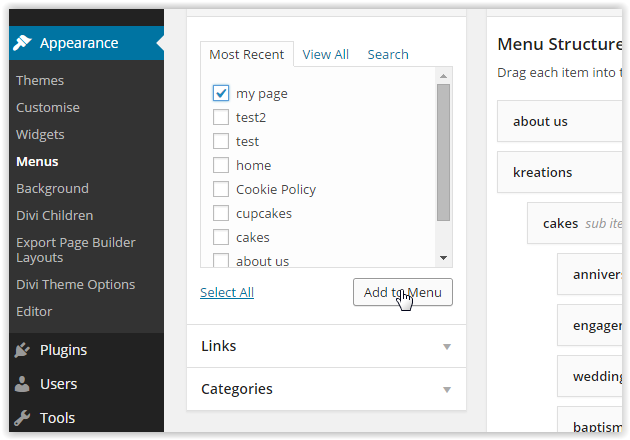
You’ll then see your new page appear at the bottom of the Menu Structure. To position the page where you’d like it to be in the menu simply drag & drop it to it’s desired location. If you’d like the page to be part of a sub menu drop it under and slightly to the right of the main menu item.

Finally click ‘Save Menu‘ and again job done!